
 Version 0.0.10 · GPL-3.0
Keep your bots and servers running, each in its own sandbox.
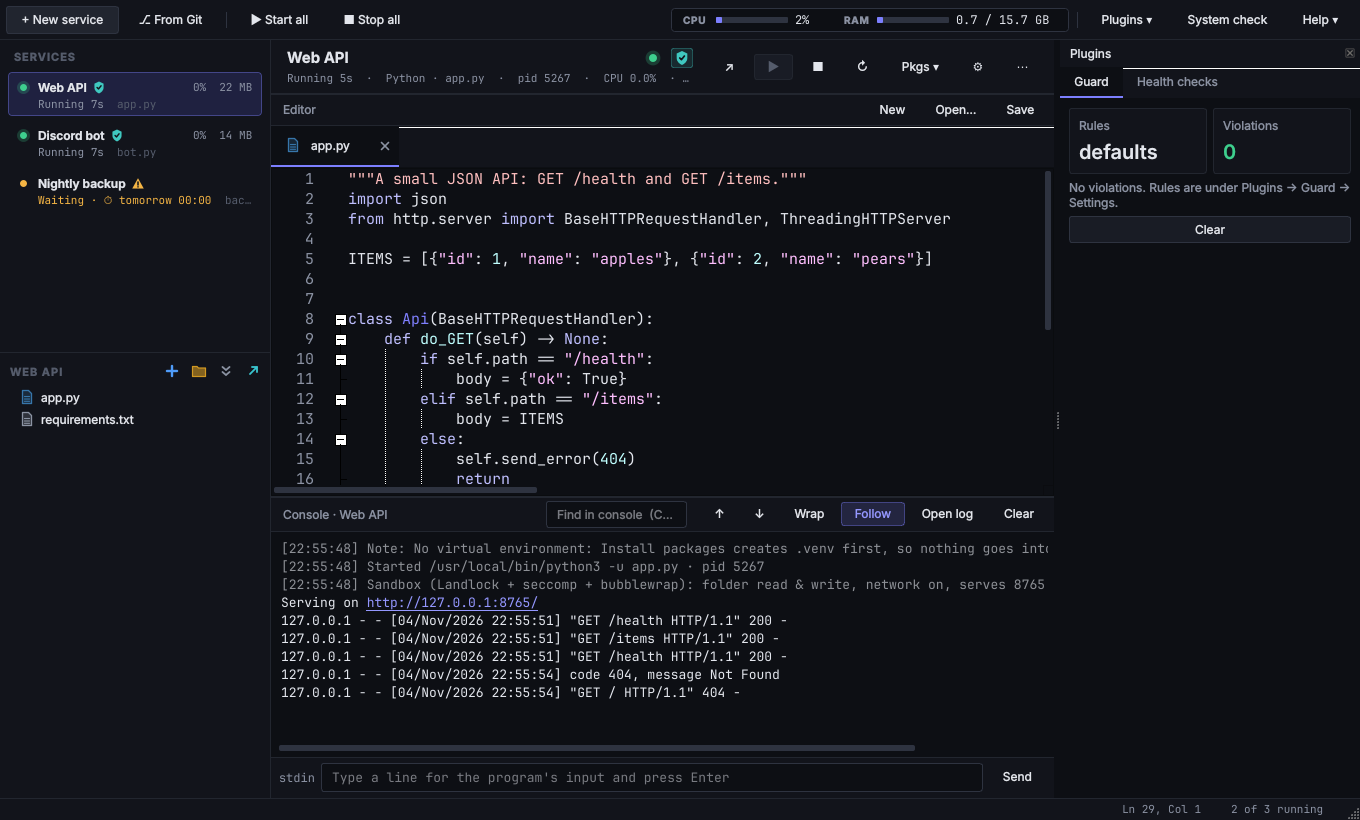
Pythonator starts the programs that should not stop, restarts them when they fail, and keeps each one to its own folder and the ports you list. It has a fast code editor built in, and plugins add the rest. One small desktop app, the same on Windows, macOS and Linux.
From source with Python 3.12 or later: pip install -e . and run
pythonator. No Docker, WSL or administrator rights needed.
- Python
- Node.js
- Bun
- Deno
- Go
- Java
- .NET
- Ruby
- PHP
- Rust
- Shell and PowerShell
- Any command
Start it once. It keeps running.
A service is a file to run or a command. Pythonator runs it in a background service that keeps going after you close the window, and decides after every exit whether to start it again.
Restarts that back off
On failure or always, waiting 1 s, 2 s, 4 s and up to a minute. Too many restarts in ten minutes and it stops trying and tells you, instead of looping forever.
RestartsSchedules and limits
every 15m, @daily or any cron line. A memory limit for the whole process tree:
a kernel limit on Windows and in containers, a watchdog elsewhere.
A console that keeps up
Colours, input, and hundreds of thousands of lines without freezing the window. Tokens and passwords from the environment are masked before anything is shown or written to the log.
Console and logsCode from Git
Clone a repository as a service and pull before a start. Fast-forward only, hooks off, and only
https and ssh addresses.
An editor beside it
QScintilla, the engine behind Notepad++: highlighting for every language here, folding, multiple carets, find and replace, and big files that open instantly.
ShortcutsPackages stay with the project
Install packages makes a .venv for Python, node_modules for Node and Bun,
vendor for PHP and Ruby, inside the service's own isolation. Nothing goes into your account.
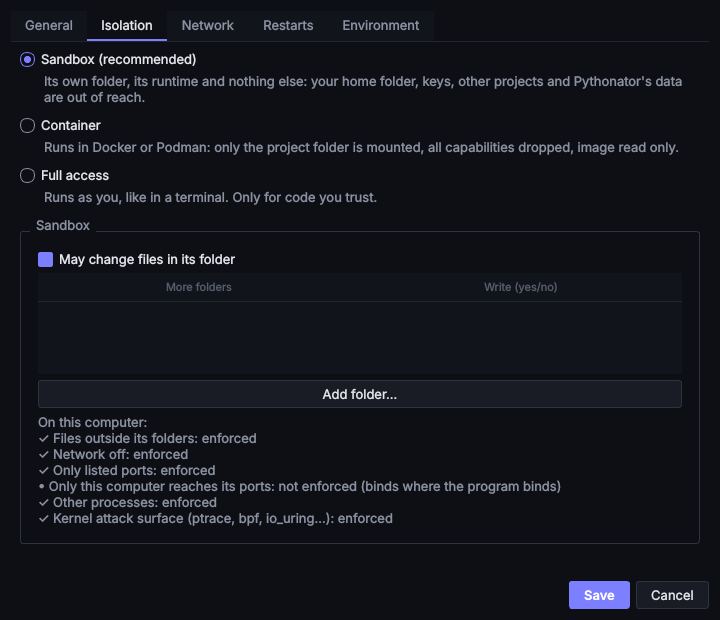
Three modes. Sandbox is the default.
Every operating system has containment built in. Pythonator puts a simple switch on it. If a protection can't be applied, the service doesn't start: it never quietly runs with less.
| Mode | What it can reach | Built on |
|---|---|---|
| Sandbox | Its own folder, its language, and the ports you list. Not your home folder, keys, other projects or Pythonator's data. | Landlock, seccomp and bubblewrap on Linux, Seatbelt on macOS, AppContainer on Windows |
| Container | Only the project folder, mounted at /app. Can join a container network to reach a database. | Docker or Podman with every capability dropped, a read-only image and no new privileges |
| Full access | Everything your account can. Asks you once, and shows in red. | A normal process, still in a job or process group so stopping ends all of it |
03 · Ports and APIs
Reachable when you say so, and only there
List the ports a service serves. In Sandbox mode it may listen on those and no others. Choose This computer for an API only your own programs call, or Other computers too for a server on your network. Windows needs one administrator prompt for it, which Make reachable does for you, and Undo takes back.
04 · Plugins
Official plugins are verified. Others are contained.
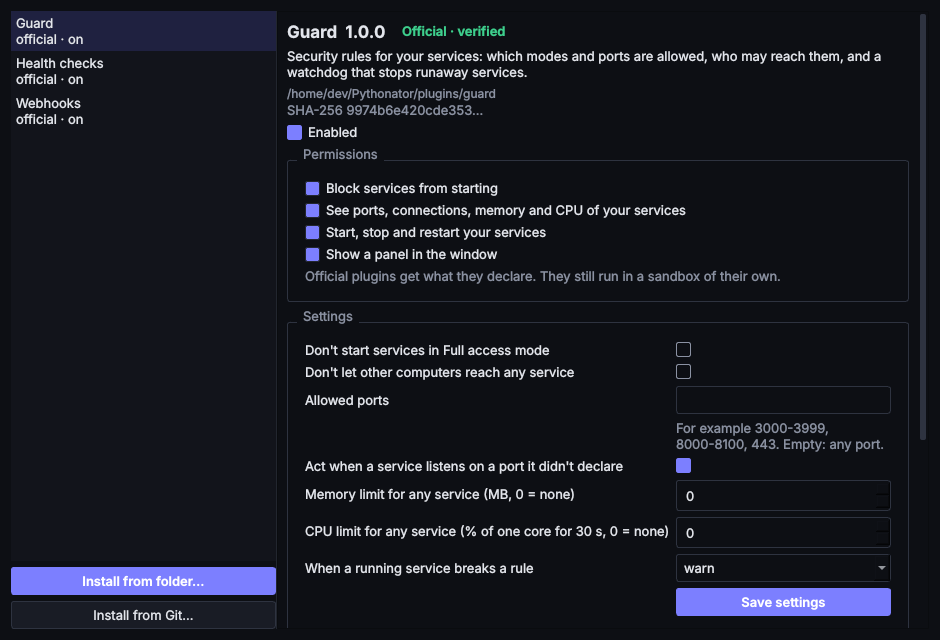
Plugins run in processes of their own, in the same sandbox as services, and talk to Pythonator only through a small message protocol. An official plugin is one whose files match a SHA-256 catalog reviewed with every change. Any other plugin starts in test mode with nothing granted: what it tries is only recorded until you grant permissions.
- Webhooks: Discord, Slack, Telegram, Teams, ntfy or any URL when a service crashes, gives up or recovers
- Guard: rules for modes and ports before a start, and a watchdog for memory and CPU
- Health checks: a live panel of which web servers answer, and how fast
05 · Install
From a release or from source
Source installs need Python 3.12 or later. Dependencies are few, pinned with hashes in
requirements.lock, and audited for known vulnerabilities on every change.
$ git clone https://github.com/cfunkz/Pythonator.git
$ cd Pythonator
$ python -m venv .venv && . .venv/bin/activate
$ pip install --require-hashes -r requirements.lock
$ pip install --no-deps -e .
$ pythonator